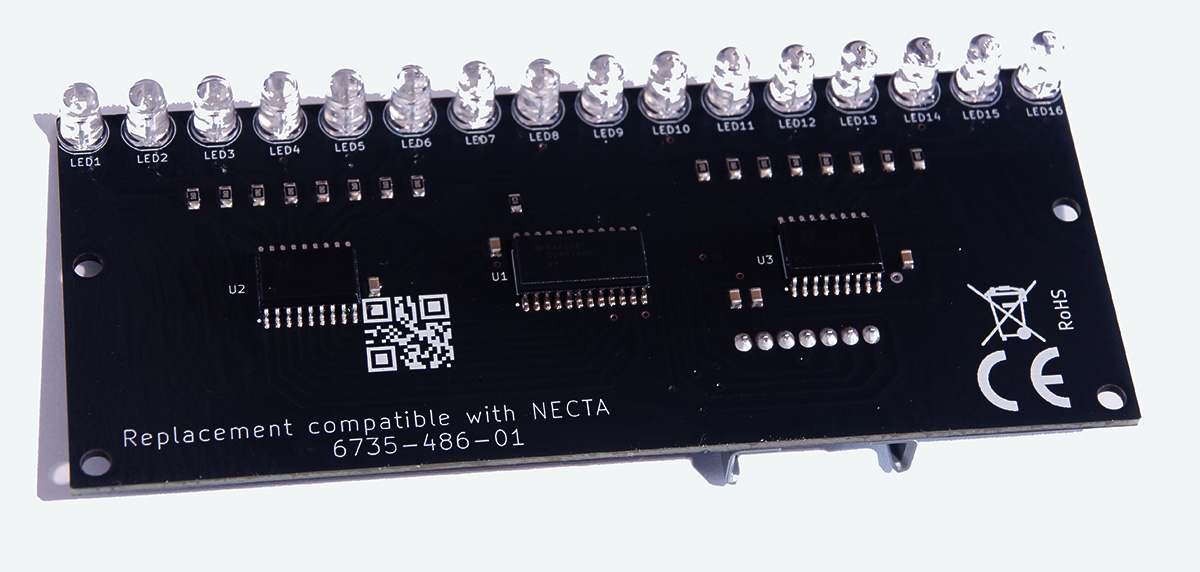
Brand new left transmitter photocell for Necta vending machines: Sfera, Snakky, Rondo, Samba, Mambo (6735-486-01). 24 months warranty.
Our photocell delivers better quality at a lower price:
- Lower price — costs significantly less than the generic one
- Premium components — high-quality, powerfull 125mW infrared transmitters that last significantly longer
- 24-month warranty
Vending machine models equipped with this photocell
- Necta Sfera
- Necta Rondo
- Necta Snakky/Snakky Max
- Necta Samba/Samba Top
- Necta Mambo
- Necta Jazz
- Necta Melodia
- Necta Rock
- Necta Tango
- Necta Orchestra
- Wittenborg SM7000
What are photocells used for?
During vending machine purchases, various random exceptions can occur:
- product gets stuck during dispensing
- dispensing mechanism is damaged
- no product in the selected spiral
The machine uses a photocell system (optical sensors) to verify whether the purchased product has actually dropped into the dispenser. If it hasn’t, the sale is cancelled and the money is refunded. Simply put, photocells are critical for your reputation – charging for a product and not dispensing it is the fastest way to lose customer trust.
Correct behaviour
- Properly functioning photocells should be detected by the machine’s control board. During the test you should see “Product falling” on the screen, indicating the photocell test has started.
If you block the beam (e.g. with your hand) during this message, you should see “OK”.
If you don’t block it: “Error: No product” appears.
Failed state
- “Photocells missing” message means the control board does not detect the photocell set. Check the wire harness between the board and the right photocell (may be unconnected or damaged) or the photocells themselves are faulty.
- “Error before dispenser” means the photocells are dirty or damaged. Remove them and gently clean with a cloth soaked in isopropyl alcohol to rule out dirt. If the problem persists, one or both sensors are defective. The only reliable way to determine which one failed (left = transmitter or right = receiver) is to swap them with known working units from another machine. Free fault diagnosis included: we’ll test your photocells and tell you exactly which one to replace.
How to distinguish right vs left photocell?
The right photocell has two connectors:
- smaller one – connected to the machine’s control board
- larger one – connecting it to the left photocell
The left photocell has only one connector.
Can I replace only one side?
Yes – absolutely.

